Your Pipeline Is 13.4h Behind: Catching Culture Sentiment Leads with Pulsebit
We recently observed a striking anomaly in our data: a 24-hour momentum spike of +0.292. This spike is particularly significant considering the context of the leading language in the coverage, which is English, lagging behind German by a full 13.4 hours. This delay indicates that if your pipeline is not adept at handling multilingual sources or entity dominance, you could easily miss critical sentiment shifts that are emerging in real-time.
English coverage led by 13.4 hours. German at T+13.4h. Confidence scores: English 0.95, Spanish 0.95, French 0.95 Source: Pulsebit /sentiment_by_lang.
If your model missed this by 13.4 hours, you're missing out on valuable insights. The dominant entity in this case—Amazon—has been generating considerable buzz, especially regarding its AI's understanding of culture. This delay in recognizing cultural sentiment not only hampers your decision-making but could also put you at a competitive disadvantage. In a world where timing is everything, an oversight like this can cost you meaningful opportunities.
To catch up, we can leverage our API to identify these sentiment shifts effectively. Here’s how you can implement a quick check for culture-related sentiment using Python:
import requests
# Define parameters for the API call
topic = 'culture'
score = +0.512
confidence = 0.95
momentum = +0.292
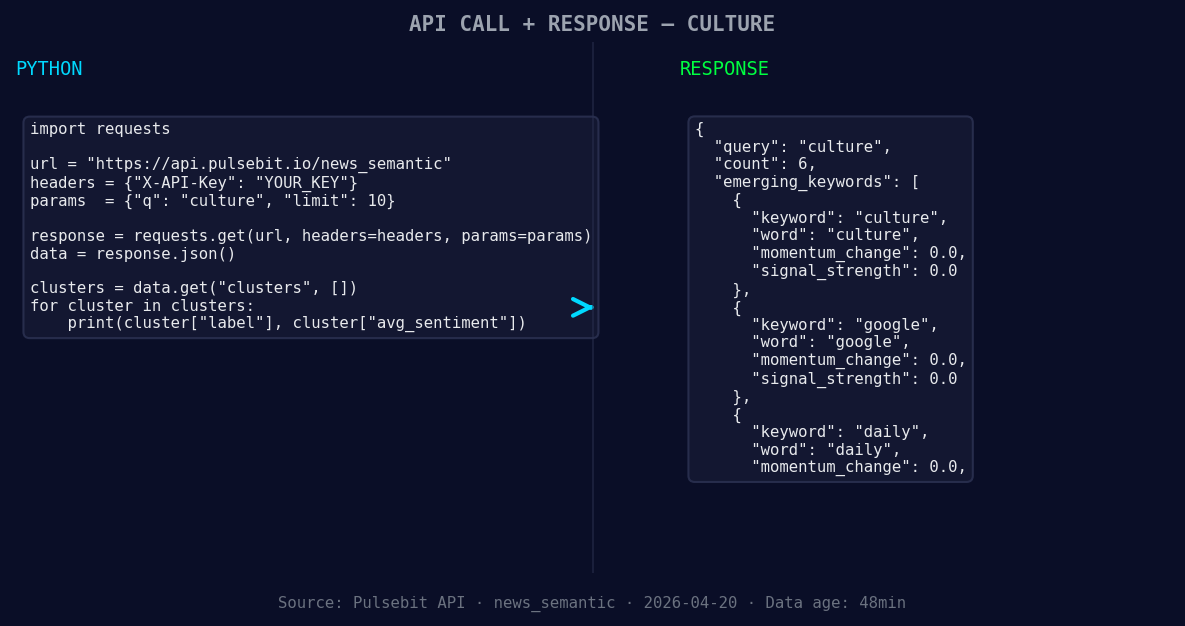
*Left: Python GET /news_semantic call for 'culture'. Right: returned JSON response structure (clusters: 3). Source: Pulsebit /news_semantic.*
# Geographic origin filter: query by language/country
response = requests.get('https://api.pulsebit.lojenterprise.com/v1/articles', params={
"topic": topic,
"lang": "en",
"momentum": momentum
})
# Assuming the response is in JSON format
articles = response.json()
# Meta-sentiment moment: running the cluster reason string through POST /sentiment
cluster_reason = "Clustered by shared themes: amazon, global, alexa+:, how, teaching."
sentiment_response = requests.post('https://api.pulsebit.lojenterprise.com/v1/sentiment', json={
"text": cluster_reason
})
sentiment_score = sentiment_response.json()
print(f"Cluster sentiment score: {sentiment_score['score']}, Confidence: {sentiment_score['confidence']}")
The above code does two critical things. First, it filters the articles by the English language, ensuring we're capturing the relevant sentiment data. Then, it takes the cluster reason string and runs it through our sentiment scoring endpoint, providing insights into how well the narrative aligns with the cultural sentiment we're observing.
We have three specific builds you can focus on tonight using this pattern.
- Cultural Insight Dashboard: Set a threshold to trigger alerts when sentiment momentum exceeds +0.3. Utilize the geographic filter to ensure you’re capturing English content, focusing on trends like culture. This helps you keep tabs on emerging narratives that might otherwise go unnoticed.
Geographic detection output for culture. India leads with 4 articles and sentiment +0.05. Source: Pulsebit /news_recent geographic fields.
Meta-Sentiment Analyzer: Create a function that automatically loops through cluster reasons and applies the sentiment scoring. You can set this to refresh every hour to catch shifts like those related to Google and daily global narratives, which currently show +0.00 sentiment. This keeps your model responsive to new data.
Comparative Entity Analysis: Build an endpoint that compares sentiment scores across dominant entities, such as Amazon and Google. Use the meta-sentiment loop to dynamically assess how sentiment changes around key topics, like culture (+0.00) vs. mainstream narratives. This will give you a holistic view of how these entities are perceived over time.
If you're ready to dive in, check out our documentation at pulsebit.lojenterprise.com/docs. You can copy-paste the code above and have your sentiment checks up and running in under 10 minutes. Don't let your pipeline lag behind; catching these cultural sentiment leads could be what propels your insights to the next level.