Your pipeline is 24.8h behind when it comes to catching world sentiment leads, with a notable anomaly revealing a 24-hour momentum spike of +0.752. This spike is tied to emerging themes around the Pope's strong remarks in Cameroon, particularly in the context of global tensions, including a nod to the Trump administration. The leading language here is English, which is crucial for capturing the sentiment accurately.
This situation highlights a significant structural gap in any pipeline that doesn’t effectively handle multilingual origins or dominant entity narratives. If your model is processing sentiment and news in isolation, you missed this critical sentiment shift by a full 24.8 hours. Imagine bridging that gap and instantly tuning into the global conversation, especially when English press coverage is leading the narrative.
English coverage led by 24.8 hours. Af at T+24.8h. Confidence scores: English 0.75, Spanish 0.75, French 0.75 Source: Pulsebit /sentiment_by_lang.
To catch this momentum, we can leverage our API effectively. Here's how you can do it in Python:
import requests
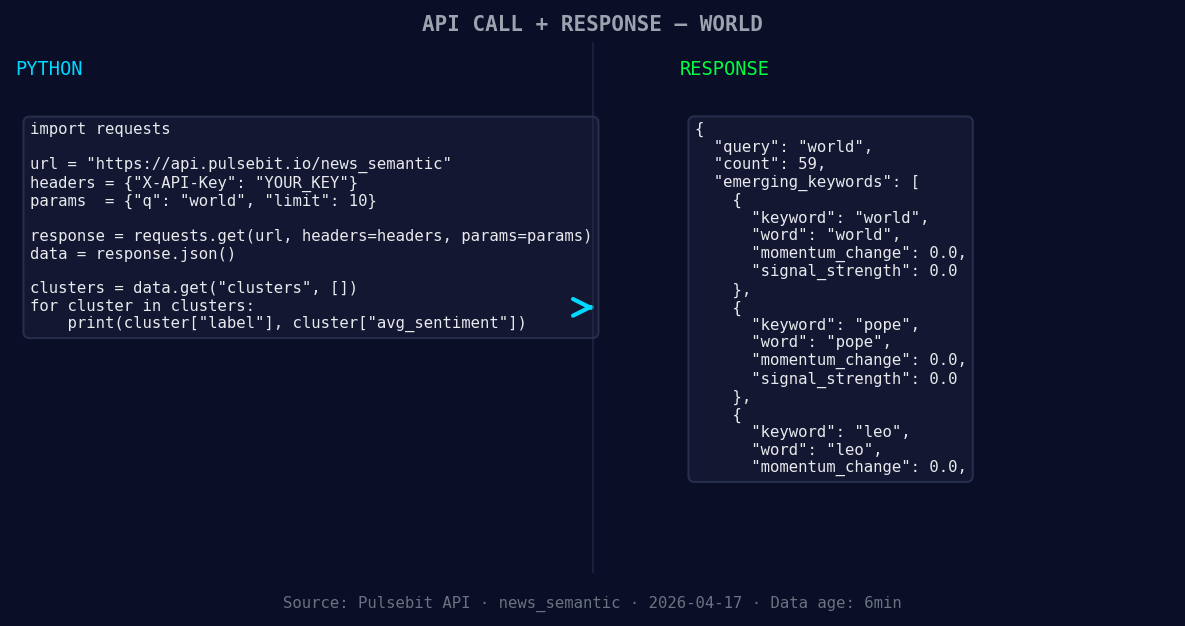
*Left: Python GET /news_semantic call for 'world'. Right: returned JSON response structure (clusters: 3). Source: Pulsebit /news_semantic.*
# Step 1: Geographic origin filter
url = "https://api.pulsebit.lojenterprise.com/v1/insights"
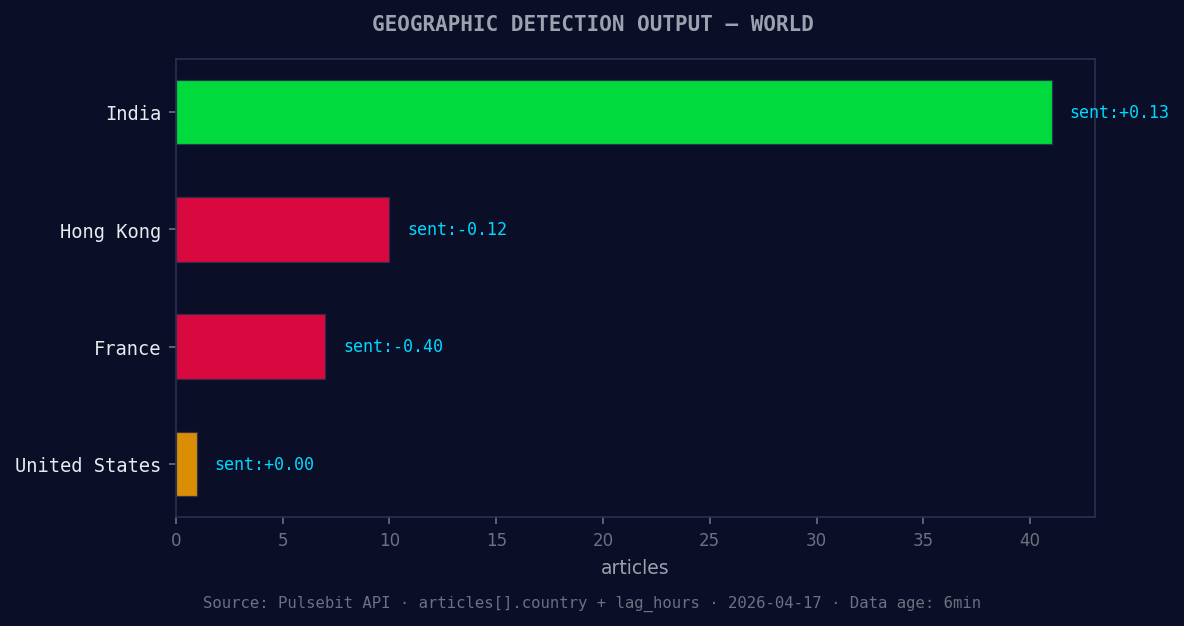
*Geographic detection output for world. India leads with 41 articles and sentiment +0.13. Source: Pulsebit /news_recent geographic fields.*
params = {
"topic": "world",
"score": +0.082,
"confidence": 0.75,
"momentum": +0.752,
"lang": "en"
}
response = requests.get(url, params=params)
data = response.json()
print(data)
In this code snippet, we query our API to filter insights based on the topic "world" and the specified parameters. This will help us capture the relevant sentiment that is emerging from English-language articles.
Next, we need to validate the narrative framing using the meta-sentiment moment. We’ll run the cluster reason string through our sentiment API to assess how the narrative around Pope Leo’s remarks is being framed:
# Step 2: Meta-sentiment moment
sentiment_url = "https://api.pulsebit.lojenterprise.com/v1/sentiment"

cluster_reason = "Clustered by shared themes: pope, leo, cameroon, world, trump."
sentiment_response = requests.post(sentiment_url, json={"text": cluster_reason})
sentiment_data = sentiment_response.json()
print(sentiment_data)
This POST request sends the narrative string to our sentiment endpoint, allowing us to score the narrative framing itself. This analysis can yield insights into how the themes are resonating and their overall sentiment score.
Now that we have a handle on this pattern, here are three specific builds you can implement:
Signal Extraction: Set a threshold for momentum spikes above +0.5 for the topic "world". Use the geo filter to ensure you're only pulling English-language articles. This will help you catch emerging narratives quickly.
Cluster Analysis: Using the meta-sentiment loop, establish a scoring model for clustered themes. For themes forming around "pope", "leo", and "cameroon", you can build alerts for when sentiment starts to shift significantly (e.g., sentiment score dips below +0.05).
Real-time Insights Dashboard: Create a dashboard that visualizes trending topics with momentum scores and sentiment analysis. This dashboard can highlight anomalies like the current +0.752 spike, allowing you to react proactively rather than reactively.
By implementing these strategies, you can ensure you're not left behind in the fast-paced world of sentiment analysis.
Get started with our API at pulsebit.lojenterprise.com/docs. You can copy-paste and run this entire setup in under 10 minutes.