Your Pipeline Is 22.1h Behind: Catching Fashion Sentiment Leads with Pulsebit
We just uncovered a striking anomaly in our sentiment data: a sentiment score of +0.85 with momentum holding at +0.00. This spike is particularly compelling because it’s led by English press, which is lagging behind Hindi by a full 22.1 hours. The current cluster story, "From Premium Basics to Sequins: Lectra Maps Summer 2026’s Biggest Fashion Trends," encapsulates a significant shift in consumer sentiment towards fashion, yet our pipeline seems to be two steps behind.
What does this lag reveal? If your pipeline isn’t equipped to handle multilingual origins or entity dominance, then your model likely missed this trend by a staggering 22.1 hours. The leading language here, English, may have skewed your insights, leaving you unprepared for the trending themes of premium, basics, and sequins. This is a structural gap that can cost you timely decisions in a fast-paced market.
English coverage led by 22.1 hours. Hindi at T+22.1h. Confidence scores: English 0.75, Spanish 0.75, French 0.75 Source: Pulsebit /sentiment_by_lang.
Let’s dive into the code that can help you catch these insights in real-time. Here’s how you can utilize our API to filter for English language content, scoring the narrative framing around this emerging trend.
import requests
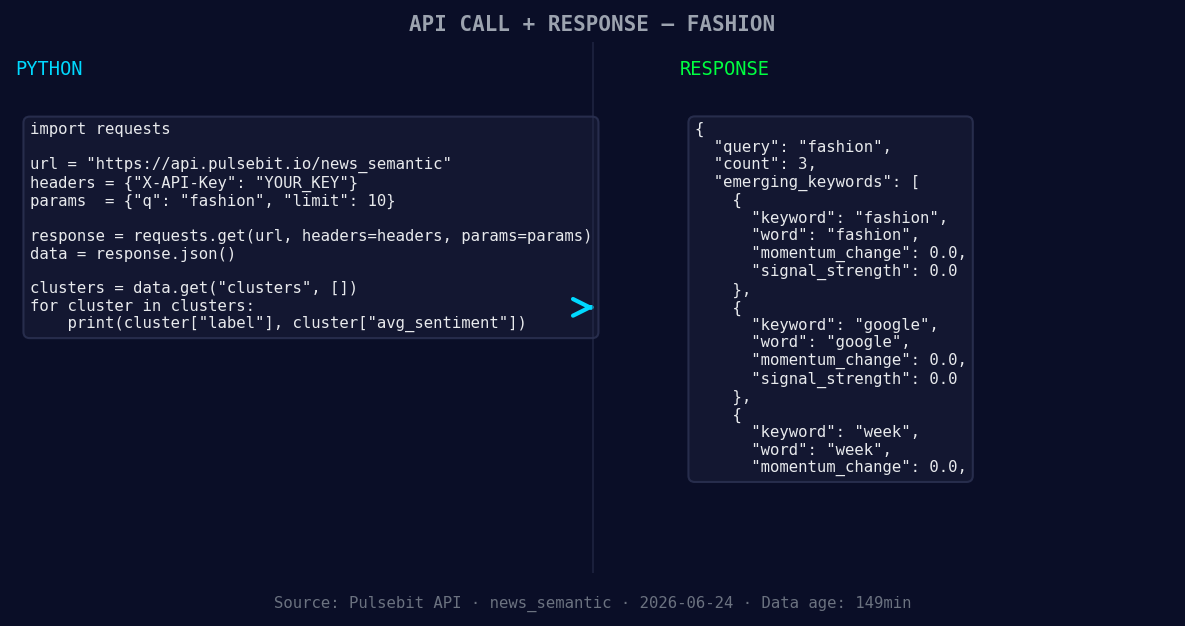
*Left: Python GET /news_semantic call for 'fashion'. Right: returned JSON response structure (clusters: 3). Source: Pulsebit /news_semantic.*
# Step 1: Geographic origin filter
topic = 'fashion'
url = "https://api.pulsebit.com/v1/sentiment"
params = {
"topic": topic,
"lang": "en",
}
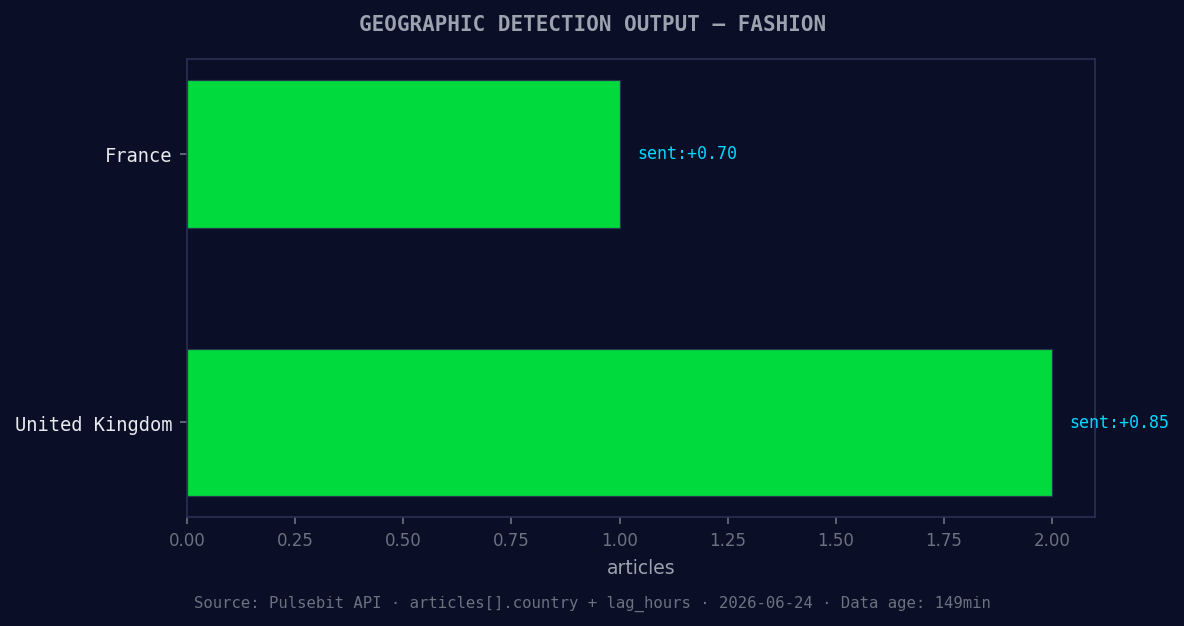
*Geographic detection output for fashion. France leads with 1 articles and sentiment +0.70. Source: Pulsebit /news_recent geographic fields.*
response = requests.get(url, params=params)
data = response.json()
# Print the results for verification
print(data)
# Step 2: Meta-sentiment moment
cluster_reason = "Clustered by shared themes: premium, basics, sequins:, lectra, maps."
sentiment_response = requests.post(url, json={"text": cluster_reason})
sentiment_data = sentiment_response.json()
# Print the sentiment score of the cluster reason
print(sentiment_data)
In this code snippet, we first fetch sentiment data for the topic "fashion" while filtering for English content. We then run the cluster reason string through our sentiment scoring endpoint to evaluate its narrative framing. The goal is to ensure we’re capturing both the sentiment of the entities and the overall thematic context they represent.
Now, let’s explore three specific builds that can leverage this newfound insight:
Sentiment Threshold Alert: Set up a real-time alert for any sentiment score above +0.80 on the topic 'fashion'. This will allow you to catch high-confidence signals early, ensuring your team is aware of emerging trends before they peak.
Geo-Targeted Campaigns: Create targeted marketing campaigns based on the sentiment and themes found in English articles. For example, if you find that "premium" is trending with high sentiment, you can launch a campaign focusing on luxury fashion.
Meta-Sentiment Analysis Dashboard: Build a dashboard that continuously runs the meta-sentiment loop for clusters like "premium, basics, sequins." By monitoring these narratives, you can adjust your strategy in real-time to align with consumer sentiment shifts, particularly in the fashion industry.
If you want to start catching these insights yourself, head over to our documentation: pulsebit.lojenterprise.com/docs. You can copy-paste and run the code in under 10 minutes, allowing you to harness the power of timely sentiment analysis in your applications.